Tutorial
This works in GP2. It may be similar in GP3.
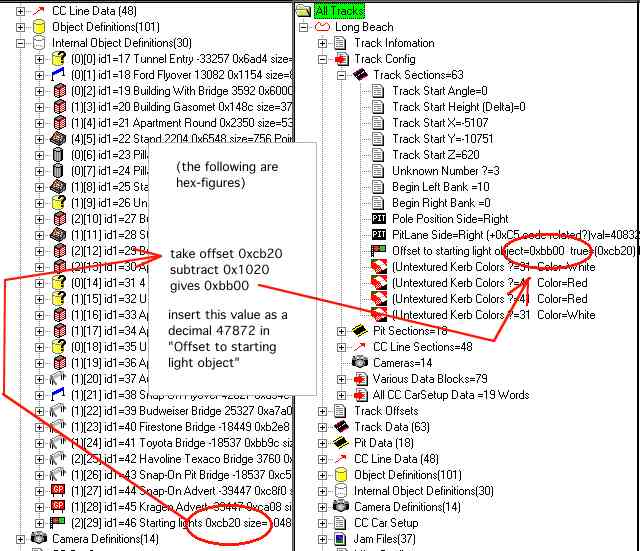
To have the starting light working, GPx needs to know the offset
to it. This offset is inserted in the track config section.
To determine this object, go to the internal object definition
section and note the hex figure. In this example, the figure is 0xcb00, which is 52000 in decimal.
Subtract the GP2 standard offset base 0x1020, which is 4128 in decimal. The resulting figure is what you insert in the Offset to starting light definition
field in the track config section.
In GP3 it may be the same, but with standard offset base 0x20, which is 32 decimal. This was not tested in the original tutorial.
Example screenshots:
For hex-to-decimal and decimal-to-hex conversion, use a calculator that supports programmer or hexadecimal mode.